Step-by-Step Guide

Master Pronoa in minutes.

Everything you need to know about using the app, from your first login to AI-powered insights.

1
Getting Started

Download: sign up, and set up your profile

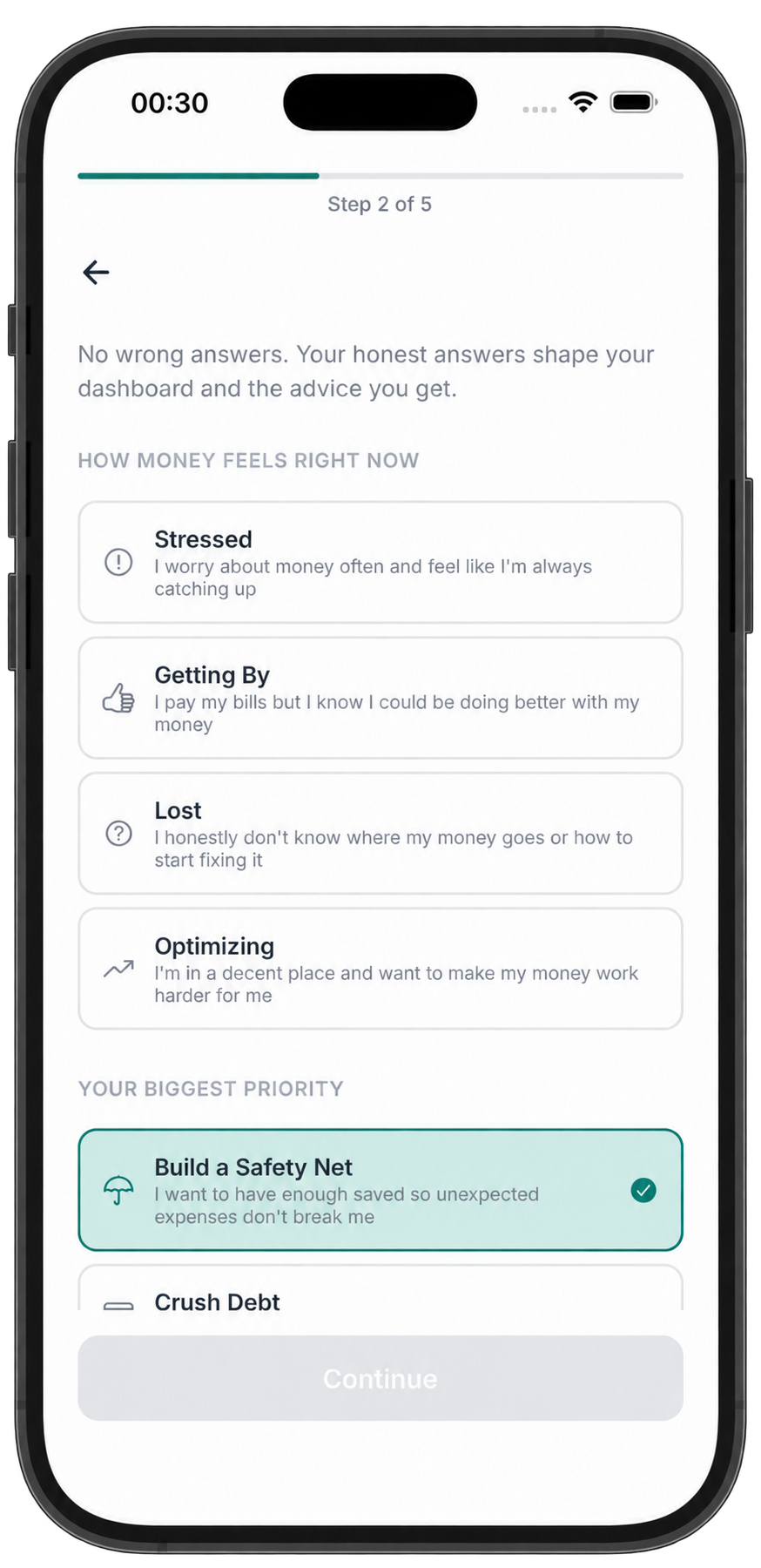
Getting started with Pronoa takes less than 3 minutes. Download the app, create your account, and walk through a quick onboarding flow that personalizes your experience.
Download the app Available on iOS and Android. Search "Pronoa" in your app store.
Create your account Sign up with your email. Quick and secure, no bank linking required.
Complete onboarding Set your income: currency, monthly expenses, and financial mindset. This personalizes your entire experience.
Pronoa onboarding on iPhone: step 2 of 5, how money feels right now and your biggest financial priority
2
Home Dashboard

Your financial command center

The home screen gives you an instant overview of your financial health. Everything you need to know at a glance, no digging required.
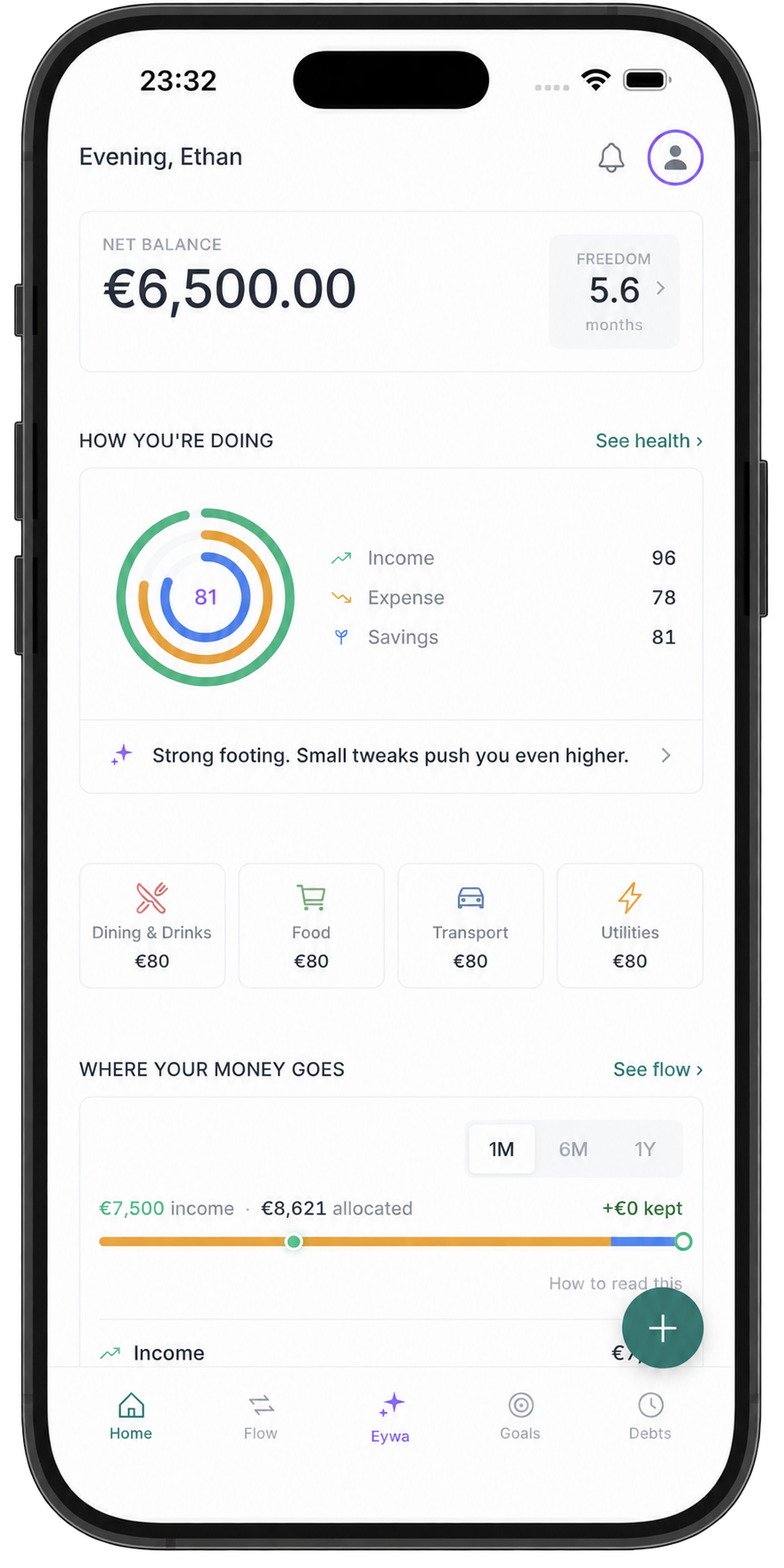
Current balance See your total available balance updated in real time.
Freedom Days How many days you could survive without income, your financial runway.
Health scores overview Four scores (Income, Expense, Savings, Discipline) combined into one overall score.
Spending breakdown Visual map of where your money goes each month, organized by category.
The Pronoa Home tab on iPhone: net balance, health scores and where your money goes
3
Cash Flow

Track every euro in and out

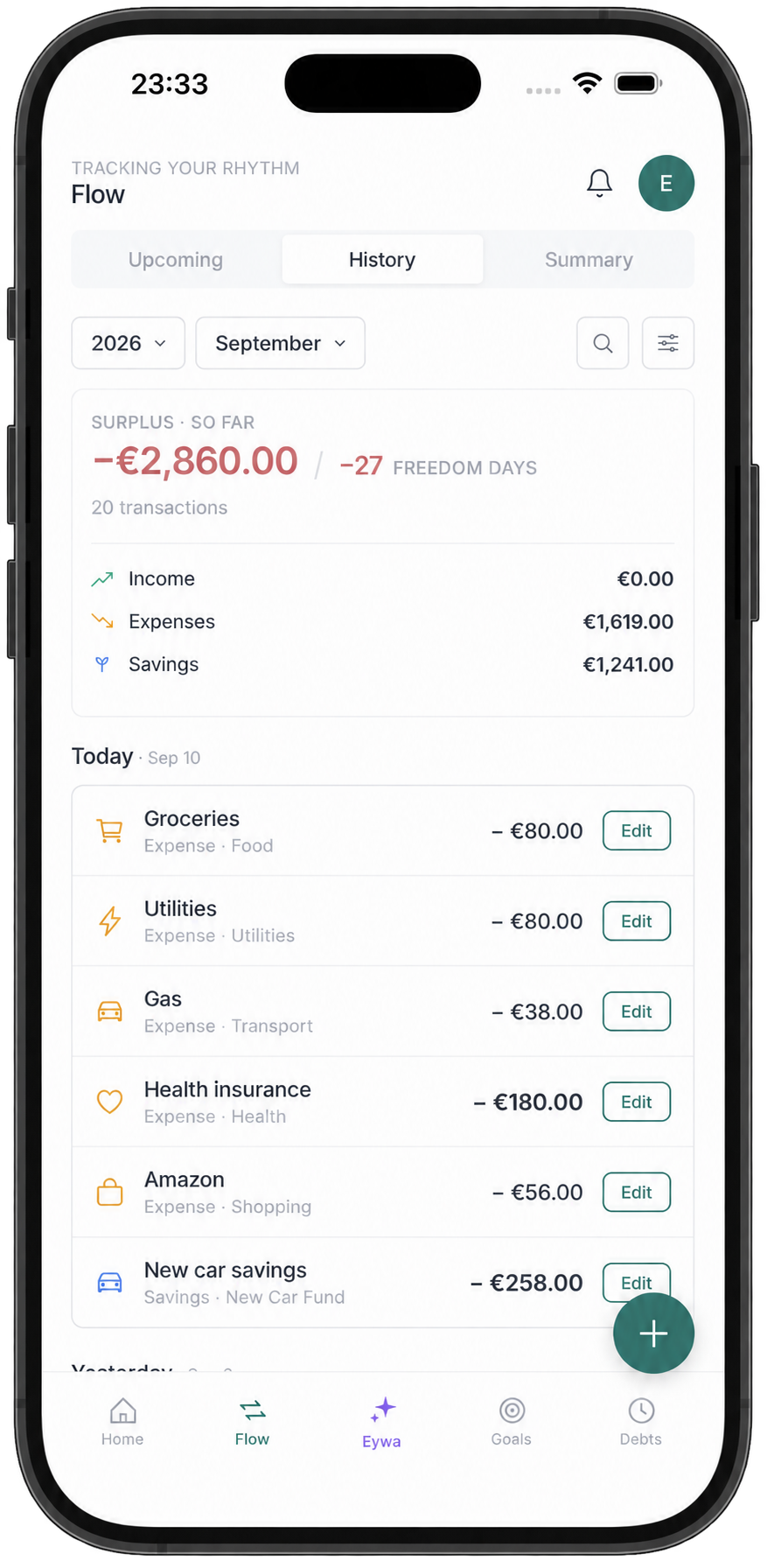
The Cash Flow module is the heart of Pronoa. Log transactions, view upcoming payments, and understand your income vs expenses patterns over time.
Log transactions Add income or expenses with personalized category forms. Snap receipts for automatic entry.
Upcoming payments See scheduled payments: goal contributions, and debt installments, never be caught off guard.
Transaction history Browse: filter, and analyze past transactions with monthly breakdowns and trend charts.
The Pronoa Flow tab on iPhone: month-to-date surplus and the transaction history
4
Goals

Set targets: track progress, build wealth

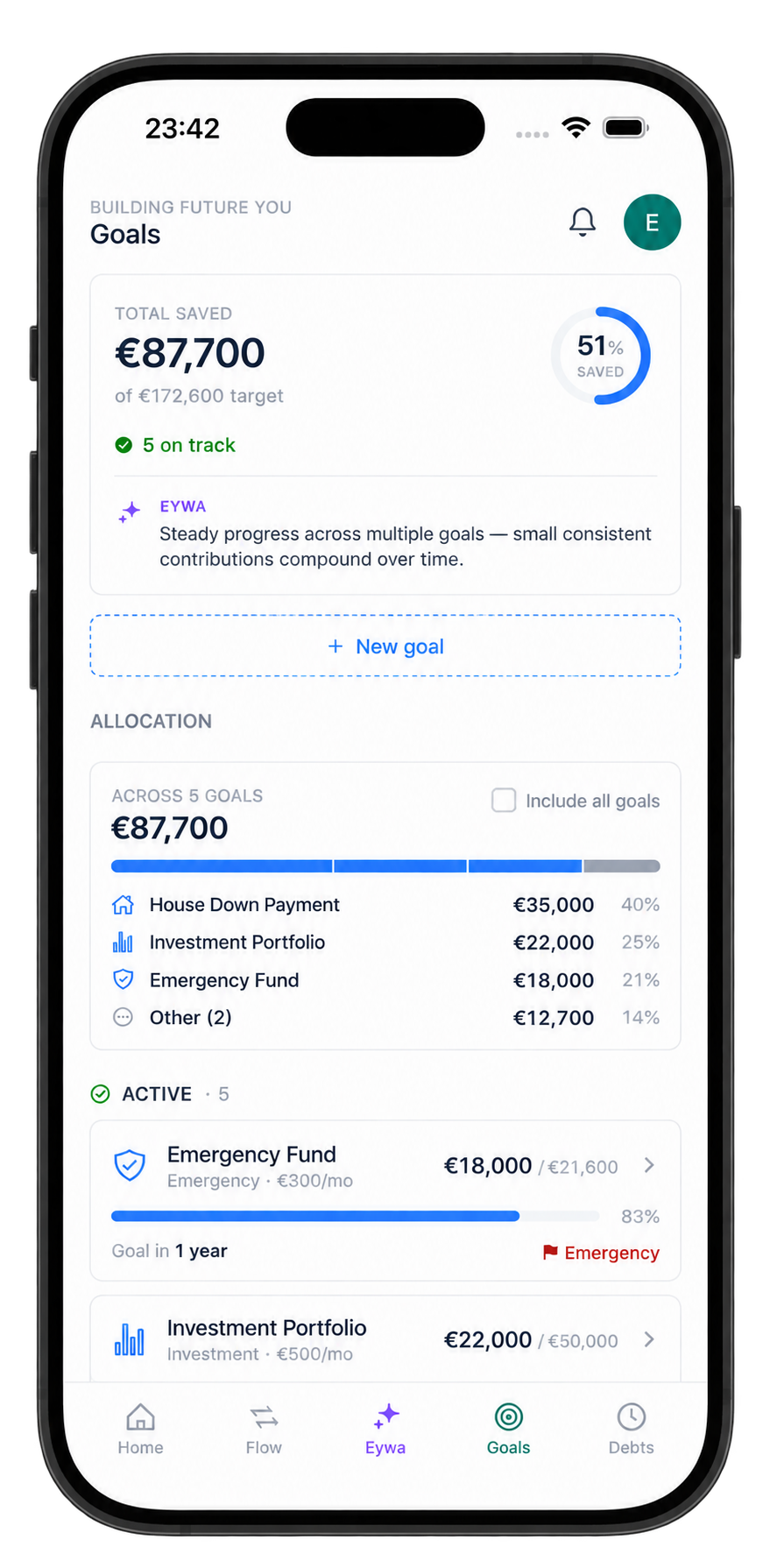
Whether it's an emergency fund, a vacation, or a new car, set savings goals with deadlines and contribution plans, then watch your progress grow.
Create a goal Set the target amount: deadline, and how much you'll contribute each month.
Track your progress Visual progress bars and percentage tracking show exactly how close you are.
Complete goals Mark goals as complete and celebrate your wins. Your Savings health score updates automatically.
The Pronoa Goals tab on iPhone: total saved, allocation across goals and each goal's progress
5
Debts

Take control of what you owe

Add all your debts in one place, loans, credit cards, personal debts. Track interest rates, payment schedules, and watch your total decrease over time.
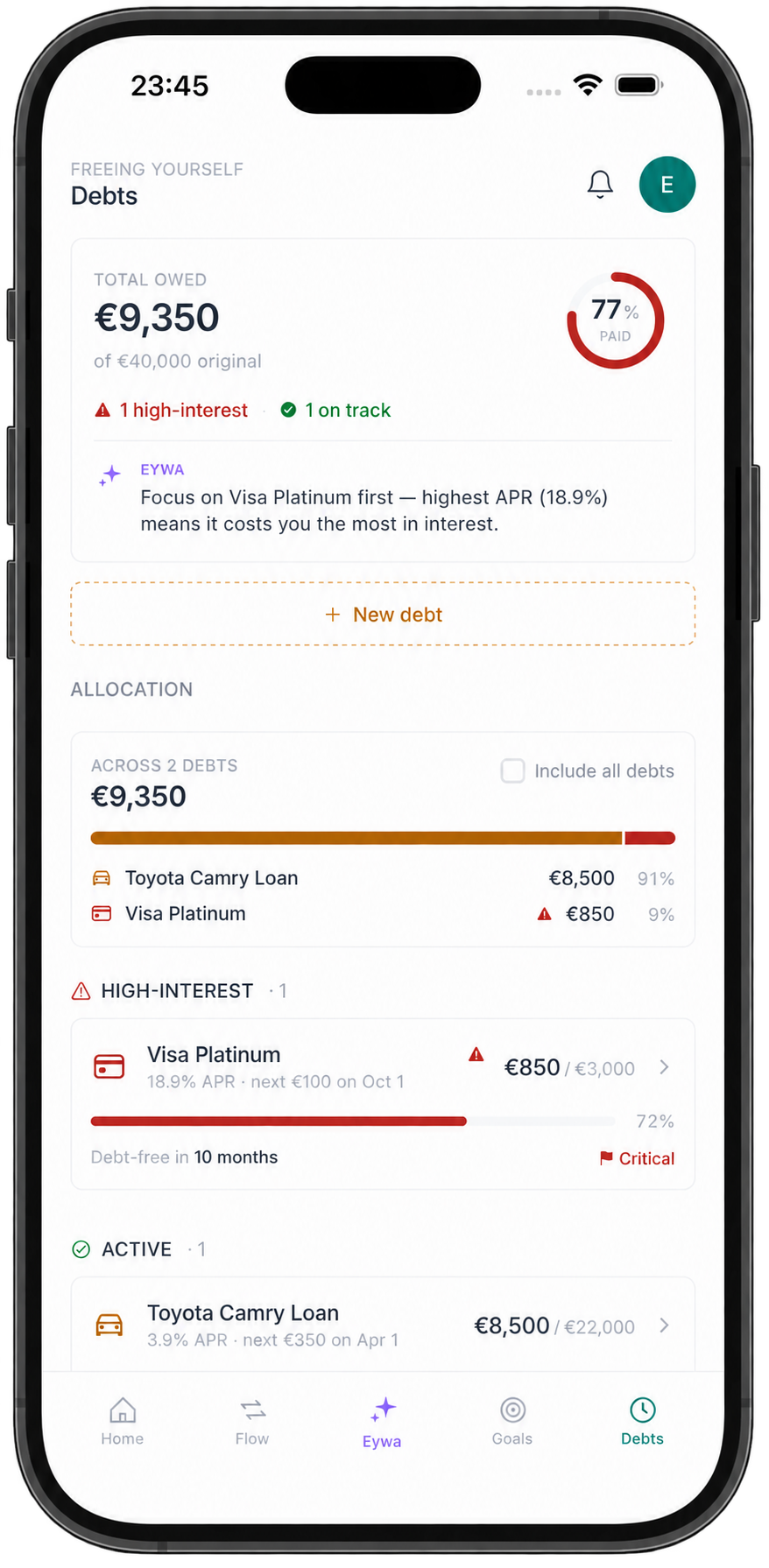
Add your debts Enter the amount: interest rate, minimum payment, and payment schedule for each debt.
Track payoff progress See how much you've paid off, how much remains, and your projected payoff date.
Understand debt health Debt discipline feeds into your Expense health score, debt-to-income ratio and payoff momentum both count.
The Pronoa Debts tab on iPhone: total owed, high-interest debt flagged first and payoff progress per debt
6
Eywa AI Mentor

Your personal AI financial advisor

Eywa reads your financial data, understands your situation, and gives you personalized, actionable advice. Ask anything, get answers tailored to you.
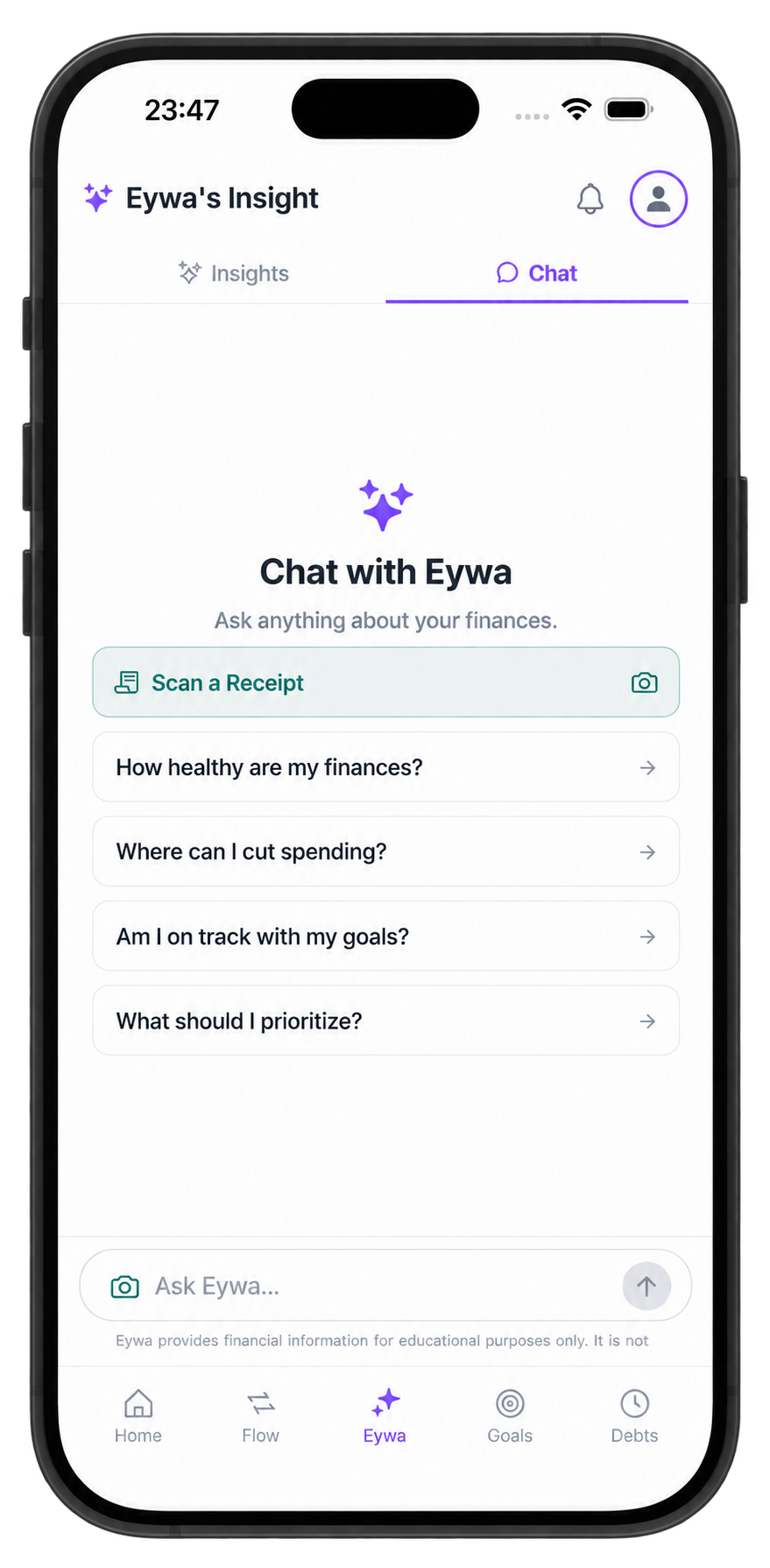
Ask Eywa anything Type a question like "Where can I cut spending?" or "Am I on track?" and get an instant, data-driven answer.
Get Smart Moves Eywa proactively suggests actions to improve your financial health, personalized to your data.
Scan receipts Snap a photo of any receipt. Eywa extracts the details and logs the transaction for you.
The Eywa tab on iPhone: chat with Eywa, receipt scanning and suggested questions about your finances
7
Financial Health Scores

Four scores that tell the whole story

Not one vague number, four focused scores that tell you exactly where you stand and what to fix next. Each score updates in real time as you use the app.
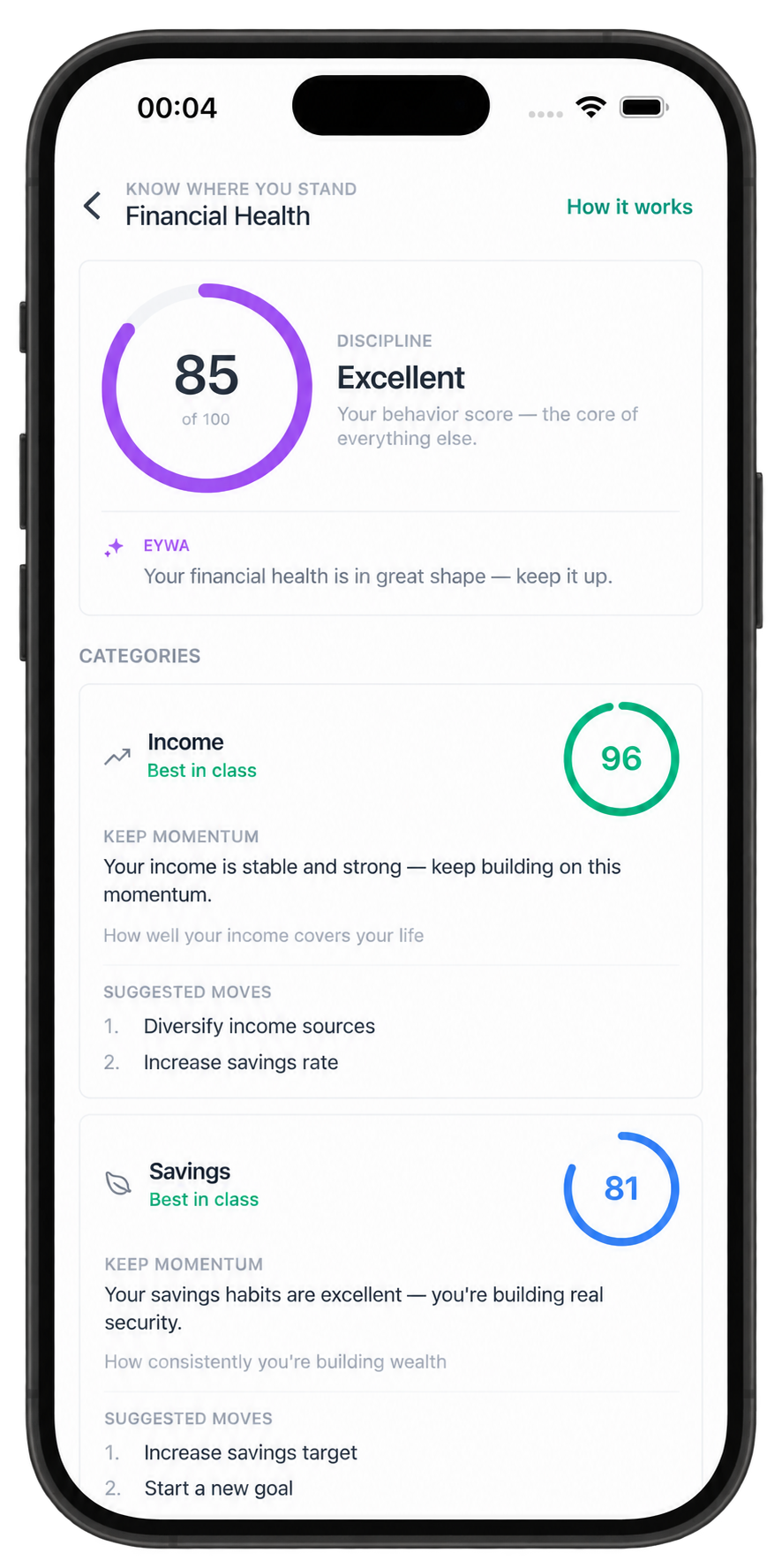
Income Score Measures income stability, growth trends, and diversification.
Expense Score Spending discipline: essentials ratio, and how much of your income goes to debt payments.
Savings Score Emergency fund: goal progress, and long-term contribution rate.
Discipline Score Consistency and follow-through, how well you stick to your plan across categories.
Financial Health on iPhone: the discipline score with per-category scores and suggested moves
8
Profile & Categories

Make it yours

Customize categories, edit your financial profile, and adjust preferences to match how you actually manage your money.
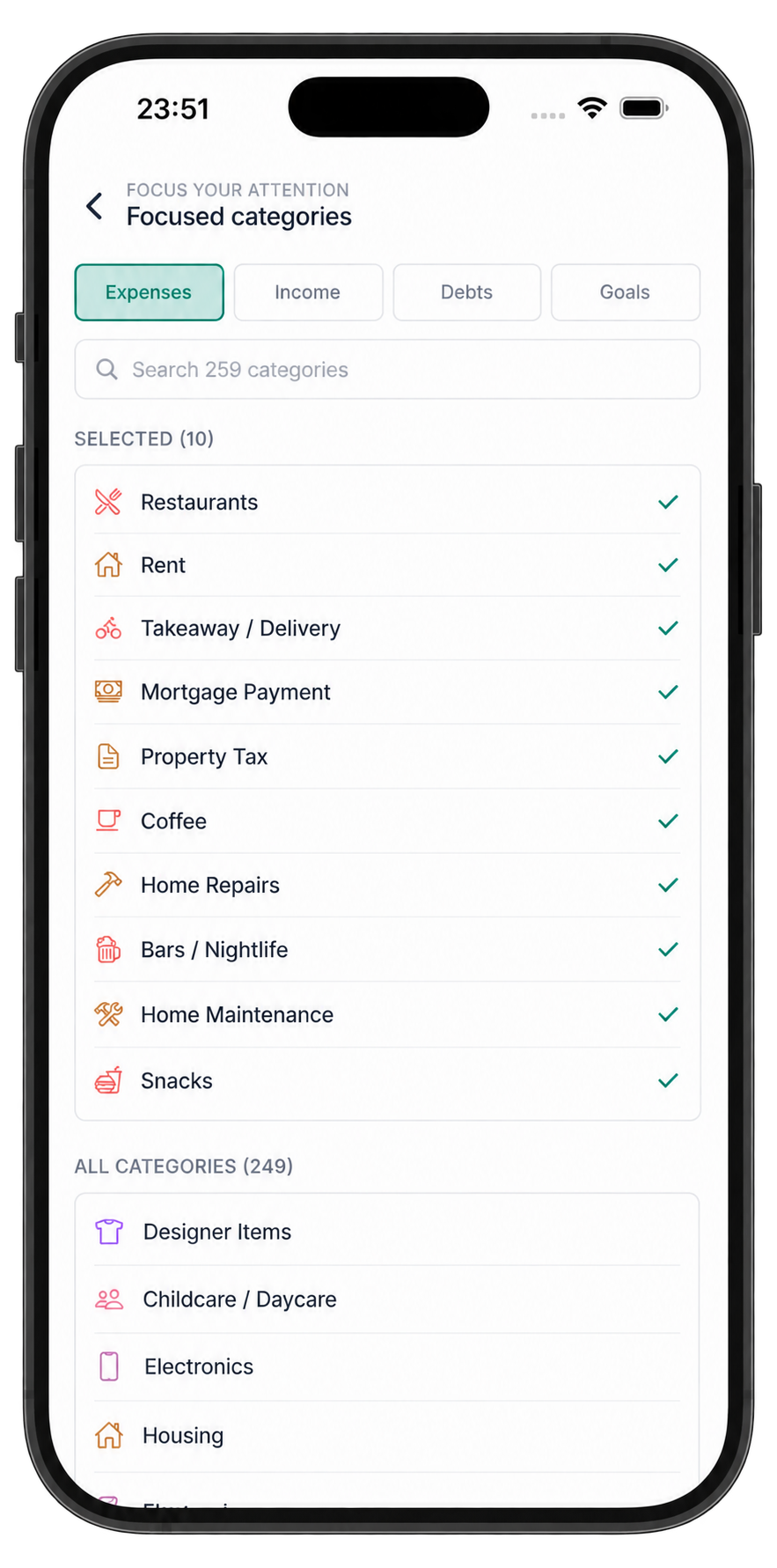
Smart categories Collapsible parent-child hierarchy. Focus on up to 5 categories per group, hide the rest. Your transaction forms adapt automatically.
Edit financial profile Update your income: currency, and monthly expense estimates as your situation changes.
Preferences Choose your preferred date format, notification settings, and display options.
Focused categories on iPhone: picking the handful of categories you want to track

Ready to take control?

Download Pronoa and start building real financial awareness today.